In today’s interconnected global marketplace, expanding a business beyond domestic borders opens up immense opportunities for growth and profitability. To source specialized raw materials from overseas suppliers or export indigenous products to international buyers, the first fundamental legal requirement for any business entity in India is securing an authorization from the Directorate General of Foreign Trade (DGFT). This digital identifier is essential for cross-border trade, customs clearance, and banking transactions related to foreign exchange.
Navigating procedural requirements for Import Export Code Registration may seem complex, yet the Indian government streamlined the entire workflow through a unified online portal.
By moving away from cumbersome paperwork, businesses can now complete their documentation from the comfort of their offices. This comprehensive guide outlines the exact, sequential steps required to successfully acquire your authorization without unnecessary delays, ensuring your international trade operations start on solid legal footing.
Understanding the Prerequisites and Eligibility
Ensure you have all necessary corporate credentials and identity proofs ready before opening the online application form. The DGFT portal requires specific primary documents linked directly to the legal identity of the business.
- Permanent Account Number (PAN): A valid PAN card is mandatory for the entity or individual applying.
- Identity and Address Proof: Aadhaar card, voter ID, or passport of the directors, partners, or sole proprietor.
- Bank Account Details: An active current account maintained in the name of the business entity, along with a canceled cheque or bank certificate.
- Digital Signature Certificate (DSC): Having a Class 3 DSC often streamlines authentication. Though it is not always compulsory for every applicant type.
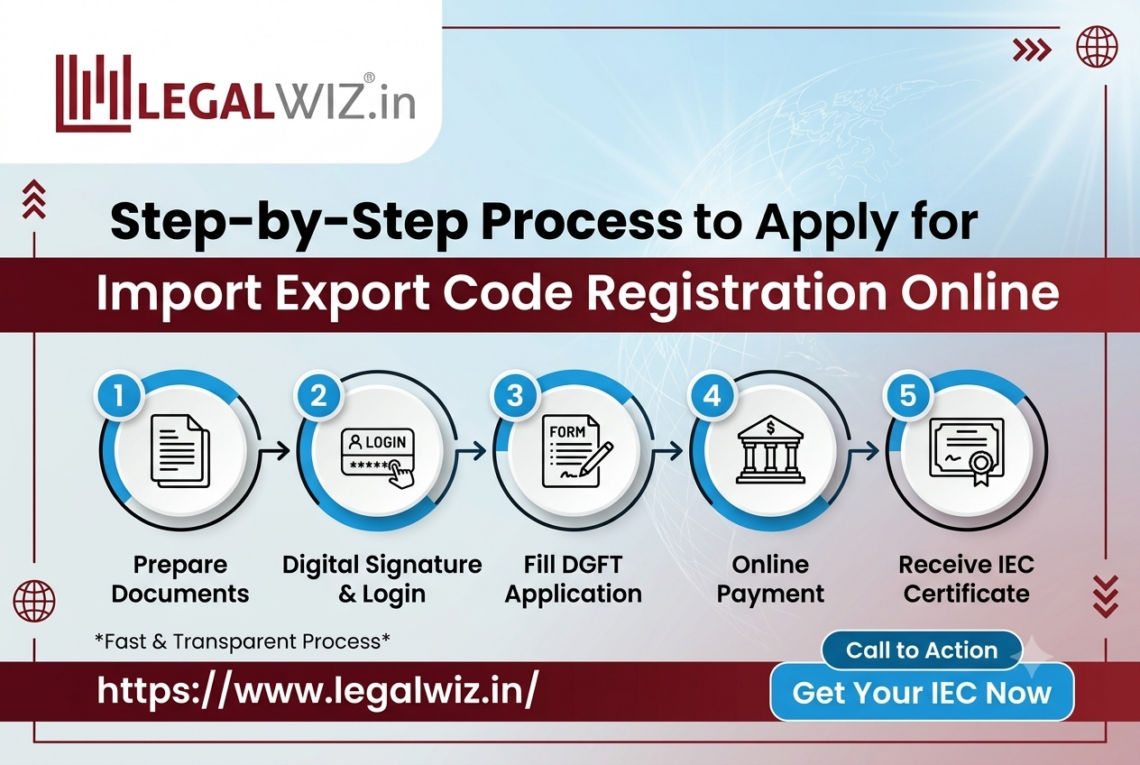
Detailed Step-by-Step Online Application Process
Step 1: Visit the Official DGFT Portal
To initiate your application, open your web browser and navigate to the official DGFT website. Avoid third-party intermediary websites, as they may charge exorbitant fees for services you can complete directly through government channels. Locate the “Services” tab on the homepage and select the “IEC profile management” or “Apply for IEC” option.
Step 2: Register and Create a User Profile
If you are visiting for the first time, register on the portal by clicking the ‘Register’ button and providing basic details like your name. Valid email address, mobile number, and location details. You will receive an OTP (One-Time Password) on your mobile and email to verify your account. Once verified, log in using your newly created credentials.
Step 3: Initiate the Application for a New IEC
After logging into your dashboard, navigate to the application section and click on “Apply for Issue of Import Export Code”. A fresh electronic application form (known as the ANF 2A format) will open on your screen. This form is divided into various sections that require precise inputs regarding your enterprise.
Step 4: Fill in Enterprise and Promoter Details
Carefully enter all required business particulars, ensuring they match your official documents letter-for-letter:
- Name of the Entity: Exactly as registered under corporate affairs, partnership deeds, or proprietorship records.
- Registered Address: The principal place of business where official correspondence is received.
- Date of Incorporation or Birth: Vital for establishing the vintage and legal validity of the business.
- PAN Details: Enter the business or individual PAN, which auto-validates against government databases.
Step 5: Upload Supporting Documents and Bank Details
Next, proceed to input your active current bank account details. Enter the account number, IFSC code, and branch name, then upload clear, scanned copies of your mandatory documents. These typically include:
- Proof of establishment (incorporation certificate, partnership deed, or MSME registration).
- Canceled cheque or banker’s certificate showing the entity name and account number.
Step 6: Pay the Processing Fee and Submit
Once all sections have been thoroughly reviewed for accuracy, proceed to the payment gateway. A nominal government fee is charged for processing the application. Complete the transaction using net banking, credit card, or UPI. Upon successful payment, submit the application. An acknowledgment number will be generated instantly for future tracking.
Post-Application Tracking and Certificate Generation
After successful submission, the system typically processes the application swiftly. In many cases, the verification is automated through database linkages with PAN and GST networks.
- You can log back into the DGFT portal anytime using your credentials to check the real-time status of your submission.
- Once approved, the official digital certificate can be viewed, downloaded, and printed directly from your dashboard.
- No physical copy will be dispatched by mail complete legal validity across all customs ports and financial institutions is established through the digital certificate.
Conclusion and Lifetime Validity
Securing your trading authorization marks the beginning of your global commercial journey. It is important to remember that this unique identifier comes with a lifetime validity and does not require periodic renewals. Businesses must ensure that any changes regarding their registered address, directors. Or banking details are updated on the DGFT portal within the stipulated timeframe to maintain compliance. By adhering to this structured procedure, entrepreneurs can seamlessly complete their iec code registration and unlock boundless opportunities in international trade.