Dubai is a regulated security environment. Surveillance here is tied to licensing, building approvals and privacy law as much as to cameras and recorders. A system that looks impressive but fails an inspection, or that records nothing useful on the night it matters, has wasted its budget.
What a Security and Surveillance System Actually Includes
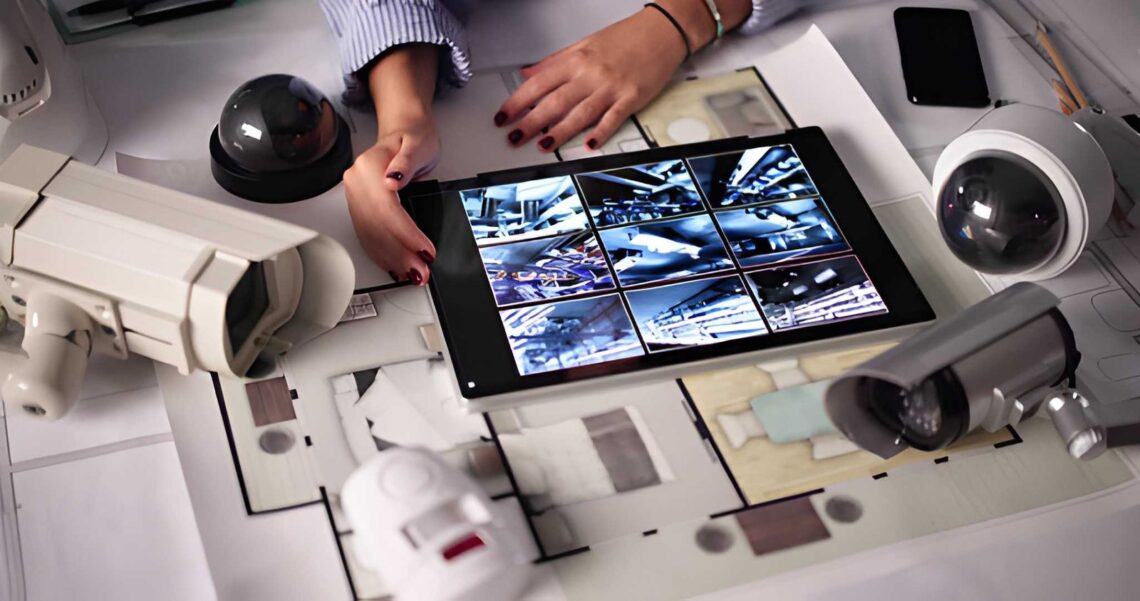
“Security and Surveillance Systems in Dubai” usually means cameras, but a dependable system has several layers that work together:
- Video surveillance: IP cameras, a network video recorder (NVR) and surveillance-rated storage.
- Intruder detection: door and window contacts, motion detectors and an alarm panel.
- Access control: smart locks, keypads, card or biometric readers and intercoms.
- Perimeter protection: gate automation, lighting, and in some sites, beam or fence sensors.
- Monitoring and alerts: notifications to phones, or monitoring by a control room.
- Supporting infrastructure: network, PoE switches, cabling and backup power.
Cameras record events, alarms detect them and access control prevents them. Relying on cameras alone means you often learn about an incident after it has happened.
The Dubai Context
Regulation. In Dubai, the Security Industry Regulatory Agency (SIRA) regulates security systems and service providers. Commercial and many residential-community premises are expected to meet defined requirements for coverage, equipment and installation by approved companies. Reporting on Dubai’s requirements for buildings describes cameras that are fixed, with clear vision, covering entrances, emergency exits, lobbies, areas leading to lifts, reception areas, health club entrances and parking entrances and exits, where number plates must be clearly visible. Exact requirements depend on property type and change over time, so confirm them with SIRA or your licensed provider before design starts.
Cameras that look outward. One community’s published guidance notes that installing cameras on roofs or walls to film beyond the property perimeter is not allowed without Dubai Police permission, and that community rules on external attachments may also apply. Treat this as an example of why you should check both government rules and your community’s own regulations.
Privacy. Federal data protection rules apply to personal data, and filming neighbours or private areas can create legal exposure. Point cameras at your own property, use signage where appropriate and control who can view and export footage.
Climate. Direct sun, summer heat, dust and humidity reduce the life of poorly specified equipment. Look for IP66 or higher ratings outdoors, a stated operating temperature range that covers peak summer, UV-resistant cable and sensible mounting away from unshaded sun-facing surfaces.
Designing for Evidence, Not Appearance
The most common mistake is designing for coverage rather than identification. A camera that shows an entire car park may not identify anyone in it. Industry practice under IEC 62676-4 expresses this in pixel density: about 250 pixels per metre to identify an unknown person, 125 to recognise a known one, 62 to observe activity and 25 to detect presence.
A 4MP camera has roughly 2,560 pixels across, so at 250 pixels per metre it can identify faces across a scene about 10 metres wide. A wide driveway or a shop front therefore needs more cameras or tighter lenses. Night performance matters just as much. Check how each camera handles glare from headlights, backlighting at entrances and low light, and ask to see sample footage from comparable installations.
Storage, Network and Power: Where Systems Quietly Fail
Storage. Calculate it rather than guessing. A 4MP H.265 camera recording continuously at around 2 Mbps generates about 21.6 GB per day, so eight cameras kept for 30 days need about 5.2 TB before headroom. Actual bitrates vary with scene activity, frame rate and compression, so size from your own configuration. Use surveillance-rated drives, and confirm any retention period your sector or insurer requires.
Network. Use quality Cat6 cabling with solid copper conductors, respect the 100-metre Ethernet limit per run and ensure the PoE switch has enough power budget for every camera. Place cameras on a separate network segment from computers and guest Wi-Fi.
Power. A UPS for the recorder and switch keeps recording through short outages, which are exactly when incidents tend to happen.
Cyber hygiene. Change default credentials, disable open port forwarding, enable two-factor authentication on cloud accounts, update firmware and restrict user roles so staff who only need live view cannot delete recordings.
Residential vs Commercial Needs
Villas and homes. Priorities are entrances, driveways, side passages and perimeters, plus a video doorbell, door sensors and mobile alerts. Many owners also want remote visibility while travelling in summer. Keep the system simple enough for the household to use.
Retail and offices. Evidence quality at doors and cash points, longer retention, accurate time synchronisation and controlled access to recordings matter most. Staff roles and footage export procedures should be written down.
Warehouses and industrial sites. Wide areas, vehicle movement and low-light conditions call for careful lens selection, lighting, perimeter detection and sometimes PTZ cameras, which also need higher PoE power.
Buildings and communities. Coverage of lobbies, lifts, stairwells and parking, with central monitoring and clear procedures for footage requests, is typical.
Original Analysis: Three Questions That Predict Whether a System Will Work
After the technology is stripped away, three questions predict most outcomes.
- What will each camera be able to prove? If nobody can answer in terms of faces, plates or activity, the design is based on hope.
- How many days of footage exist right now? Many owners cannot say. If recording has silently stopped or storage is full, the system provides false comfort.
- Who is responsible after handover? Systems with a named owner, a monthly footage check and a maintenance contract keep working. Systems without one drift.
A modest system that answers all three will outperform an expensive one that cannot.
How to Evaluate a Provider
- Verify licensing and approvals directly with the relevant authority.
- Require an on-site survey and written design before pricing.
- Ask for the pixel-density reasoning behind each camera position.
- Compare quotations line by line, including cabling, storage, UPS, commissioning and support.
- Ask who handles approvals and permits.
- Confirm documentation, training and administrator access are handed over.
- Agree on maintenance, response times and footage-check routines.
Planning Through the End of 2027
Choose a system that will still be supportable at the end of 2027. That means modern compression, actively updated firmware, spare switch ports and storage headroom, and an installer committed to long-term support. Smart Living Technology designs security and surveillance systems in Dubai on this basis: survey first, evidence-grade coverage, calculated storage, secured networks and clear responsibility after handover.
Frequently Asked Questions
What does a complete security and surveillance system include?
It usually combines IP cameras and a recorder with intruder detection, access control, perimeter protection, alerts and the network and power infrastructure behind them. Cameras alone record incidents, while the other layers help detect and prevent them.
How do I know if my CCTV system complies with Dubai requirements?
Requirements depend on property type and can change, so confirm them with SIRA or a licensed provider. Ask for a written design that shows coverage areas, equipment specifications, storage retention and installation by an approved company.
Why is camera resolution not enough to guarantee useful footage?
Usable detail depends on how many pixels land on the subject. A high-resolution camera watching a very wide scene may show activity but not identify faces. Placement, lens choice, lighting and distance matter as much as megapixels.
How much storage does a CCTV system in Dubai need?
It depends on the number of cameras, resolution, codec, frame rate and recording mode. As a guide, one 4MP H.265 camera recording continuously at around 2 Mbps uses about 21.6 GB per day. Multiply by cameras and retention days, then add headroom.
What should I check before hiring a security company in Dubai?
Verify its licence with the relevant authority, ask for a site survey and written design, compare quotations on the same scope and confirm what support, documentation and maintenance are included after handover.