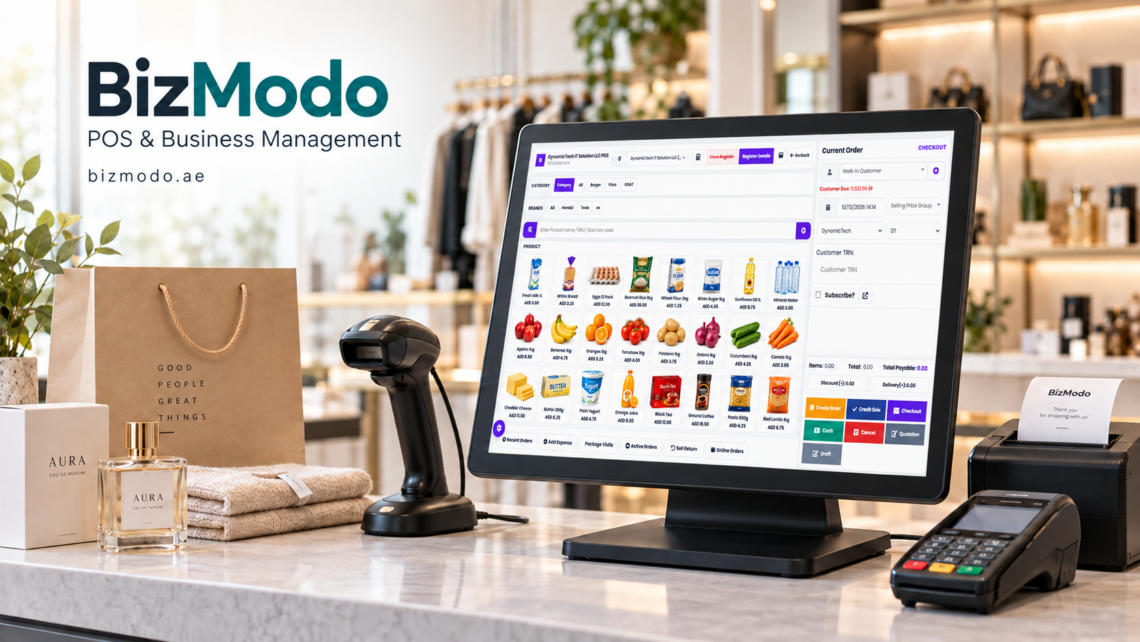
At 7 p.m., the checkout queue starts to build. A customer has picked up a promotional multipack, a bag of loose vegetables, and several everyday essentials. The cashier scans the basket, but the offer does not appear. A produce item has no label, and the card terminal shows a completed payment while the sales screen is still waiting.
At the back of the store, another employee is accepting a supplier delivery without checking how many cartons actually arrived.
These situations may look unrelated. By closing time, however, they can affect the same records: sales, payments, stock, and the amount the business owes its supplier.
A grocery store POS system should help employees keep those records consistent. For UAE grocery shops, baqalas, mini-marts, and supermarkets, choosing software means checking how it handles the small exceptions that occur throughout the day.
Before adding another till or opening another branch, examine these seven operational gaps.
What Does a Grocery Store POS System Do?
A grocery store POS system records items sold, calculates the bill, captures payment information, and produces a receipt. Depending on the platform, it may also connect sales with stock records, purchasing, customer accounts, promotions, and reporting.
The grocery setting introduces requirements that a basic checkout app may not cover. Products may be sold individually, in packs, or by weight. Prices change, offers overlap, and goods arrive in different units from those used at the checkout.
Use your own products, delivery documents, and common customer requests when evaluating a system. A demonstration using a handful of simple items will not reveal how it performs with your actual catalogue.
1. Product Records That Confuse Packs, Units, and Variants
A supplier delivers soft drinks by the carton, while the shop sells individual cans and multipacks. If these are treated as unrelated products without a defined stock relationship, the recorded balance can quickly become unreliable.
Set clear product names, units, and identifiers before importing the catalogue. A single can, a six-pack, and a full carton should not be interchangeable simply because the brand and flavour match.
Ask the provider to demonstrate how purchasing units convert into selling units. Then test opening a carton, selling individual items, and returning one item. Check whether the remaining balance is understandable.
Variants need equal care. Different sizes or flavours should have the right prices and stock records. Duplicate product entries can divide sales history and make replenishment harder to judge.
A grocery store POS system relies on accurate product data. Assign responsibility for adding new items and correcting existing records so each shift follows the same naming and pricing rules.
2. Weighed Items That Depend on Manual Guesswork
Loose produce, nuts, and other weighed goods need a clear link between the item, measured quantity, unit price, and amount charged.
Some stores use a scale connected to the checkout. Others weigh goods in a department and print a label for the cashier to scan. These are different workflows, and support for one does not establish support for the other.
Ask which scale models, label formats, and barcode structures the proposed system supports. Bring sample labels from your store and test them on the intended hardware.
For an illustrative transaction, an item priced at AED 8 per kilogram with a chargeable weight of 0.75 kilograms should produce an item amount of AED 6 before any separately applicable adjustments. Check how the receipt displays that calculation and how the system handles decimal quantities and rounding.
3. Promotions That Differ Between the Shelf and the Till
A shelf label announces a special offer, but the checkout charges the standard price. The immediate result is a customer query; the underlying issue may be an incorrect start date, product selection, or promotion rule.
Define offers precisely. A reduced unit price, a bundle price, and a “buy two” offer are different calculations. Decide whether loyalty discounts or other promotions can apply to the same basket.
Test the edge cases before an offer goes live:
- The customer buys fewer items than required.
- Eligible items have different flavours or pack sizes.
- An offer begins or ends during trading hours.
- One item from a promotional purchase is returned.
- A supervisor overrides the price.
Your grocery store POS system should make the applied offer understandable to the cashier and customer. Check whether promotional changes reach every relevant till and branch.
Shelf-label updates remain a staff responsibility unless a separate system handles them. Give someone ownership of checking that advertised prices and checkout prices agree when offers change.
4. Deliveries Recorded Before Someone Checks Them
Inventory accuracy begins when goods arrive, not when the first item is sold.
Suppose a purchase order requests 20 cartons, but the supplier delivers 18 and two contain damaged items. Recording the full ordered quantity as received would create stock that cannot actually be sold.
Ask how the system records partial deliveries, rejected goods, substitutions, and outstanding quantities. The receiving employee should be able to distinguish what was ordered from what arrived and what was accepted.
Keep the delivery reference connected to the relevant order and supplier documents where the software supports it. Purchasing and accounts then have a clearer basis for resolving differences.
The receiving process should identify who checked the delivery, which location received it, and what remains unresolved. Software can organise that evidence, but someone still needs to count and inspect the goods.
5. Waste and Returns Hidden Inside Stock Adjustments
Goods leave saleable stock for several reasons. They may be sold, damaged, returned to a supplier, transferred to another branch, or removed after expiry.
Putting every difference into a generic “stock adjustment” makes it difficult to understand what happened.
Use meaningful reasons and restrict who can make adjustments. Ask whether the system records the employee, date, quantity, location, and explanation behind each change.
If expiry management is important, verify whether the software tracks batches and dates at the level your store needs. An item-level quantity alone does not show which batch expires first. Also ask how staff identify the actual batch being removed or sold; a software setting does not physically rotate stock.
Customer returns need a separate decision about whether an item can re-enter saleable stock under the store’s handling procedures. Processing a refund should not automatically make every returned product available for resale.
A grocery store POS system provides more useful stock reports when losses and movements are recorded consistently. Periodic physical counts are still needed to find discrepancies the system cannot observe.
6. Online Orders Competing with Walk-In Sales
A shop that accepts delivery orders can promise the same remaining item to two customers if its sales channels do not share availability reliably.
Ask when an online order reserves stock: on placement, acceptance, payment, or picking. Confirm how cancellations release reservations and how partially fulfilled orders are handled.
Stock shown as physically present may include units already committed to another customer. The staff member taking an order needs to understand what is available to promise.
Test a simple scenario with one item remaining. Place an online order, then attempt to sell that item at the checkout. Observe how the system handles the conflict and what employees are expected to do.
If delivery platforms or an e-commerce store are involved, identify the exact integration, its update frequency, and the process when it stops synchronising. “Supports online sales” is not enough detail to judge this workflow.
For several branches, also confirm which location fulfils an order and how stock transfers are recorded while goods are in transit.
7. Closing Reports That Do Not Explain the Money Collected
The sales total and the money received are related, but they need not be identical. Refunds, customer credit, outstanding payments, and timing differences can affect the comparison.
Ask to see a closing report that separates relevant payment methods and makes exceptions visible. Cash movements should be distinguishable from sales: adding change to a drawer or removing cash for an authorised purpose is not another customer transaction.
Where a card terminal is integrated, test successful payments, declined attempts, and interrupted transactions. Where it is separate, establish how employees match the terminal result to the bill.
A connection problem should not lead staff to retry a payment blindly. The workflow needs a clear way to check the original status and resolve an incomplete sale.
For UAE operations, have your accountant review sample receipts, invoice outputs, and the proposed accounting configuration. Confirm any required language and reporting formats with the people who will use them.
The goal is a closing process in which differences can be traced to transactions and explained, rather than carried into the next shift.
How to Test a Grocery Store POS System Before Buying
Prepare a small test basket that represents your shop: a standard barcode item, a multipack, a weighed product, a promotional item, and a return.
Run the basket through a complete sale, then inspect the stock movements and payment records. Next, receive a partial supplier delivery and move stock between locations if your business uses more than one.
Invite a cashier, a stock employee, and a manager to participate. Each will notice different problems. Record repeated data entry, unclear messages, and tasks that require someone with higher permissions.
Check practical costs as well as subscription pricing. Hardware, product imports, payment integrations, extra tills, training, and support may be charged separately. Request a written breakdown for your actual setup.
Finally, test the stated outage procedure. Offline billing, if offered, does not automatically mean card payments, stock updates, and online orders will all remain available. Confirm exactly what continues working and how records reconcile afterward.
Where BizModo Fits for UAE Grocery Businesses
Retailers comparing options can review BizModo’s grocery store POS system. Its published grocery page describes barcode-based checkout, inventory management, promotions, multiple checkout terminals, branch stock transfers, online orders, and reporting.
Use these listed capabilities to build a demonstration around your store’s requirements. Confirm scale compatibility, pack conversions, batch and expiry tracking, payment integration, and outage behaviour individually, including any configuration or additional modules required.
Contact BizModo to discuss your product catalogue, checkout setup, and stock processes. A walkthrough using your own examples is the most useful next step toward judging whether the proposed setup fits your business.
Frequently Asked Questions
Can a small baqala benefit from a grocery store POS system?
Yes, when it addresses a clear need such as accurate billing, stock visibility, or easier closing reports. A small shop should prioritise the tasks it performs every day and evaluate the full cost of software, hardware, and support.
Does every grocery POS support weighing scales?
No. Compatibility depends on the software, hardware model, connection method, and label format. Test the exact equipment and workflow you intend to use rather than relying on a general statement about scale support.
Will a POS system prevent stock shortages?
It can support replenishment decisions through sales and inventory information, but it cannot guarantee availability. Accurate receiving, recorded adjustments, realistic reorder rules, and supplier reliability all affect whether an item remains in stock.
What should a shop prepare before switching systems?
Prepare a clean product list, verified prices and units, opening stock counts, supplier records, and user roles. Test imported records and common transactions before launch. Schedule the change around a manageable trading period and arrange staff support.
Fix the Gaps Before They Spread Across More Tills
Adding another checkout or branch repeats the processes already in place. If product units, promotion rules, and delivery records are unclear, expansion makes those inconsistencies harder to manage.
Choose a grocery store POS system by following a product from delivery to sale, return, or disposal. When each movement is recorded clearly and staff can explain the figures, the business has a stronger basis for managing daily trade and future growth.