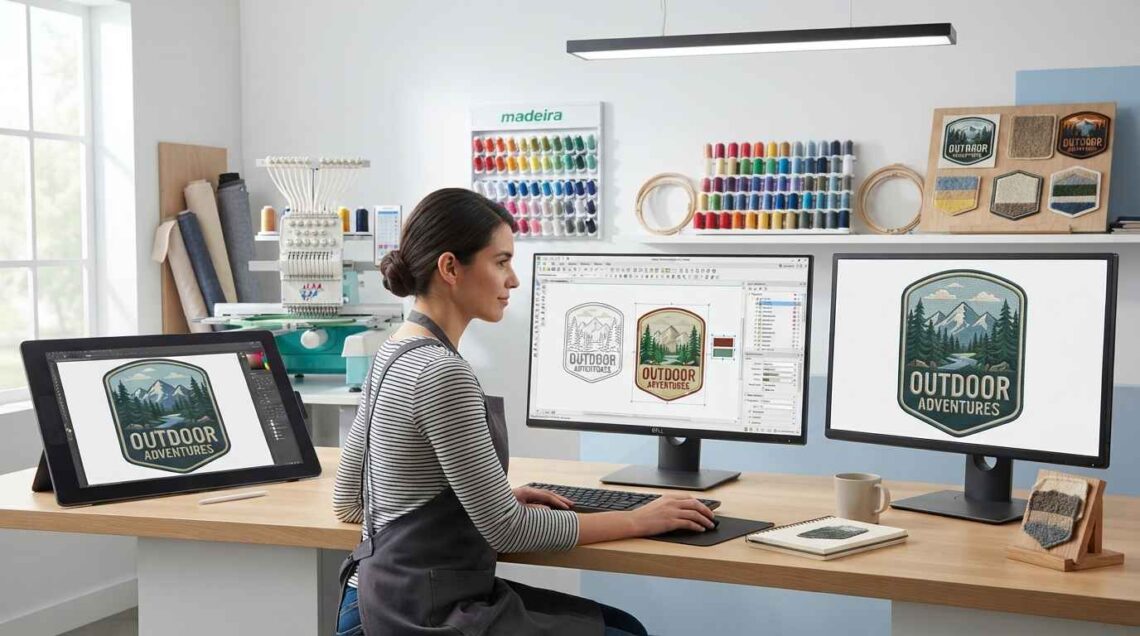
Preparing your artwork correctly before sending it to a best patch digitizing provider can make the digitizing process easier and help produce a cleaner embroidered patch. Whether you have a business logo, sports emblem, custom illustration, or text-based design, the quality and structure of the original artwork can affect how effectively it can be converted into stitches.
A digital image is not automatically ready for embroidery. Some artwork contains tiny details, thin lines, small text, gradients, or complex shapes that may need adjustments before digitizing.
Providing the right file, explaining the intended patch size, and communicating important design requirements can help the digitizer create a more suitable embroidery file.
This guide explains how to prepare artwork for a patch digitizing provider and what information you should provide before your design is converted into an embroidery machine file.
Why Artwork Preparation Matters for Patch Digitizing
Embroidery uses thread instead of pixels, so artwork needs to be interpreted differently from a regular digital image.
A design that looks clear on a computer screen may contain details that are too small or thin to reproduce with stitches. If these elements are not addressed before digitizing, the final patch may have unclear lettering, merged shapes, uneven coverage, or unnecessary stitch complexity.
Proper artwork preparation gives the digitizer a clearer reference and can reduce the need for repeated adjustments.
1. Start With the Highest-Quality Artwork Available
The first step is to provide the best version of your artwork.
Low-resolution screenshots or heavily compressed images can make small details difficult to identify. When possible, use the original artwork rather than downloading a copy from a website or social media profile.
Common artwork formats include:
- PNG
- JPG
- SVG
- EPS
Vector formats such as SVG and EPS can be particularly useful when available because they preserve shapes and lines without the same pixel limitations as raster images.
However, a high-quality JPG or PNG can also provide a useful reference when vector artwork is not available.
2. Tell the Provider the Exact Patch Size
The intended patch dimensions are one of the most important pieces of information to provide.
For example, a logo intended for a large jacket patch can accommodate more detail than a small patch designed for a hat.
Tell the digitizing provider the expected width and height of the finished patch. If you are unsure about the dimensions, explain where the patch will be used so the provider can discuss suitable sizing.
The final dimensions influence lettering, line thickness, stitch density, and the amount of detail that can be retained.
3. Identify the Important Parts of Your Design
Not every element of an artwork has equal importance.
Before submitting your file, identify the elements that must remain recognizable. These could include a business name, initials, mascot, emblem, icon, or specific shape.
This information can help the digitizer make sensible adjustments if certain details are too small for embroidery.
For example, if a small decorative element is less important than the company name, preserving readable lettering may take priority.
4. Check Small Text Before Submission
Small lettering is one of the most common challenges in embroidered patches.
A font that looks readable in the original artwork may become difficult to reproduce when converted into stitches, especially when the patch itself is small.
Review your artwork and identify:
- Small words
- Narrow letters
- Tight spacing
- Thin strokes
- Decorative fonts
- Very small numbers
If the text is important, tell the provider that it must remain readable. The digitizer can then determine whether the lettering needs to be enlarged, simplified, or changed.
5. Avoid Extremely Thin Lines
Thin outlines and narrow decorative lines may not reproduce well with embroidery.
Thread has physical limitations, and very narrow elements can become inconsistent or disappear depending on the design size, fabric, and stitch structure.
Before submitting your artwork, identify extremely thin lines and ask whether they need modification.
The goal is not to remove every fine line automatically. Instead, the digitizer should determine which details can realistically be reproduced.
6. Simplify Unnecessary Details
Detailed artwork may require simplification before it is converted into stitches.
For example, an illustration may contain tiny textures, shadows, highlights, background patterns, or decorative elements that are easy to see digitally but difficult to reproduce in thread.
Removing unnecessary details can create a cleaner patch and reduce unnecessary stitch complexity.
A good rule is to focus on the visual elements that communicate the identity of the design.
7. Decide Which Colors You Want to Use
Tell the patch digitizing provider about your preferred thread colors.
If the artwork uses many similar colors, the digitizer may need to determine how those colors should be represented with available embroidery threads.
It can help to provide color references when exact branding colors matter. However, remember that screen colors and physical thread colors may not match perfectly.
For a simpler patch, a limited color palette can also make production easier and keep the design visually clear.
8. Consider the Patch Background
The patch background can affect how the artwork appears.
For example, a dark patch background may require lighter thread colors for strong contrast. A light background may work better with darker lettering or outlines.
Tell the provider what background or base fabric you plan to use whenever possible.
This information can help with decisions about thread color, outlines, borders, and contrast.
9. Explain the Patch Shape
Let the provider know what shape you want for the finished patch.
Common shapes include:
- Circle
- Rectangle
- Square
- Shield
- Oval
- Custom outline
If the patch follows the outline of the artwork, explain that requirement before digitizing begins.
The patch shape can affect the placement of borders and the overall composition of the design.
10. Provide Border Requirements
Many embroidered patches use a defined border around the artwork.
If you already have a preferred border style, communicate it to the provider.
You may want a border that follows the outer shape of the artwork or a separate geometric border around the design.
The border needs enough space to be stitched cleanly, so its width and placement should be considered during digitizing.
11. Choose the Correct Artwork Background
A transparent background can sometimes make artwork easier to interpret, especially when the design is intended to be placed on a different patch background.
If your artwork has a white or colored background that is not part of the actual design, tell the provider that it should not be included.
For example, a logo saved as a JPG may have a white background even though the finished patch is intended to use a colored base.
Clarifying this before digitizing can prevent unnecessary elements from being included in the embroidery file.
12. Do Not Flatten Important Information
If you have an editable source file, keep it available.
An editable vector or layered file can make it easier to identify individual elements, colors, and text.
If you only have a flattened image, that is still usable in many cases, but the provider may need to recreate or simplify certain parts manually.
When submitting artwork, provide the original source file whenever it is available and appropriate.
13. Tell the Provider Where the Patch Will Be Used
The final application can affect design decisions.
A patch intended for a hat may have different size limitations from one designed for a jacket. A patch for a uniform may need highly readable text, while a decorative patch may focus more on visual artwork.
Tell the provider whether the patch will be used on:
- Hats
- Jackets
- Shirts
- Uniforms
- Bags
- Backpacks
- Workwear
- Promotional products
This context helps the digitizer consider the practical requirements of the finished product.
14. Mention Your Embroidery Machine Format
If you already know the embroidery machine that will be used, provide the required file format.
Common machine formats include DST, PES, JEF, and HUS.
The required format depends on the machine and embroidery software. Providing this information before the project starts can help ensure that the final file is delivered in a usable format.
15. Specify the Final Embroidery Size
The artwork’s digital dimensions are not the same as the final embroidery dimensions.
Always communicate the intended finished size.
For example, saying that the patch should be 3 inches wide gives the digitizer important information that cannot be determined reliably from the artwork alone.
The final size influences stitch selection, lettering, density, and the treatment of small details.
16. Review Your Artwork at Actual Size
One useful preparation step is to view the artwork at the approximate size of the finished patch.
Ask yourself:
- Can I read the text?
- Are the main shapes clear?
- Are the important details visible?
- Are any lines extremely thin?
- Are elements too close together?
- Is there enough space around the lettering?
If the design already looks crowded at its intended size, it may require simplification before or during digitizing.
17. Separate Essential and Optional Details
It can be helpful to tell the provider which elements are essential and which can be changed if necessary.
For example:
Essential: business name, main logo symbol, outer shape.
Optional: small decorative lines, background texture, tiny highlights.
This gives the digitizer useful guidance when making technical decisions.
18. Avoid Expecting Every Digital Detail to Become a Stitch
A common mistake is assuming that every pixel, gradient, shadow, and tiny line can be reproduced exactly in embroidery.
Embroidery has physical limitations that digital graphics do not.
A professional digitizing process translates the visual concept into a stitch structure that works with thread and fabric. This may require small changes to the original artwork.
The goal should be a clean embroidered result rather than a literal stitch-by-stitch recreation of every digital detail.
19. Ask for a Proof or Review
Before production, ask whether the provider offers a digital proof or review process.
A proof can help you confirm:
- Overall design placement
- Text
- Colors
- Size
- Border
- Major artwork elements
For more complex designs, a test stitch can provide even more useful information because it shows how the design behaves on the actual material.
20. Prepare a Clear Artwork Submission
When sending the artwork, include all relevant information in one message or order form.
A useful submission can include:
Artwork file: Original or highest-quality version.
Final size: Exact width and height.
Patch shape: Circle, shield, custom shape, etc.
Colors: Preferred thread or brand colors if important.
Background: Desired patch or fabric color.
Border: Required border style.
Machine format: Required embroidery file format.
Application: Hat, jacket, uniform, bag, or another product.
Special instructions: Any design elements that must remain unchanged.
Providing this information upfront can reduce back-and-forth communication.
Common Artwork Preparation Mistakes
Several mistakes can make patch digitizing more difficult.
Sending Only a Small Screenshot
A screenshot may contain compression or insufficient detail. If a higher-quality original is available, send that instead.
Forgetting the Final Size
Without the intended patch dimensions, the provider cannot accurately determine how small details should be handled.
Using Too Much Detail
Complex artwork may require unnecessary stitch work and can lose clarity when reduced.
Ignoring Small Text
Tiny lettering may not remain readable after digitizing. Tell the provider about important text before production.
Not Explaining the Background
If the background in your artwork is not part of the patch, make this clear.
Providing No Machine Format
If you know the machine format you need, provide it when placing the order.
Artwork Preparation Checklist
Before sending your artwork to a patch digitizing provider, review this checklist:
- Use the highest-quality artwork available.
- Provide the exact finished patch size.
- Explain the intended patch shape.
- Identify important text and graphics.
- Mention any details that can be simplified.
- Provide preferred colors when necessary.
- Explain the patch background.
- Specify border requirements.
- Tell the provider where the patch will be used.
- Provide the required machine format.
- Ask about revisions or test stitching if needed.
This information gives the digitizer a much clearer understanding of the project.
How Good Artwork Preparation Improves the Digitizing Process
Good artwork preparation does not guarantee a perfect embroidery result by itself, but it gives the digitizer a stronger starting point.
Clear artwork and complete project information can help the provider make better decisions about stitch types, density, lettering, sequencing, borders, and design simplification.
It can also reduce unnecessary revisions because the provider knows the intended size, application, colors, and important design elements from the beginning.
Final Thoughts
Preparing artwork for a patch digitizing provider is an important part of the embroidery process. Start with the best artwork available, communicate the final patch size, identify important details, explain color and border requirements, and provide the correct machine format.
Most importantly, remember that digital artwork and embroidered artwork have different requirements. Small text, thin lines, complex details, and gradients may need adjustments before they can produce a clean stitched result.
Clear instructions and well-prepared artwork give the digitizer the information needed to create a practical embroidery file. iDigitize can help convert properly prepared artwork into embroidery-ready files for custom patch and other embroidery projects.