Introduction
Digital billing is becoming an important part of doing business in Pakistan. Customers expect clear receipts, while businesses need accurate sales records, reliable tax calculations, and organised reporting. The Federal Board of Revenue (FBR) has expanded its digital invoicing framework to bring eligible sales tax-registered businesses into an electronic reporting process. For retailers and other businesses handling frequent transactions, this makes choosing the right billing technology a practical business decision, not simply an IT upgrade.
A cloud based pos system can help a business manage sales, stock, branches, and customer invoices from a connected platform. However, cloud access alone does not make a POS system FBR-compliant. The software, invoice data, technical integration, and reporting process must meet the applicable FBR requirements. Understanding this difference helps business owners avoid costly assumptions and select a solution that supports both daily operations and tax compliance.
What Are FBR POS Integration and E-Invoicing?
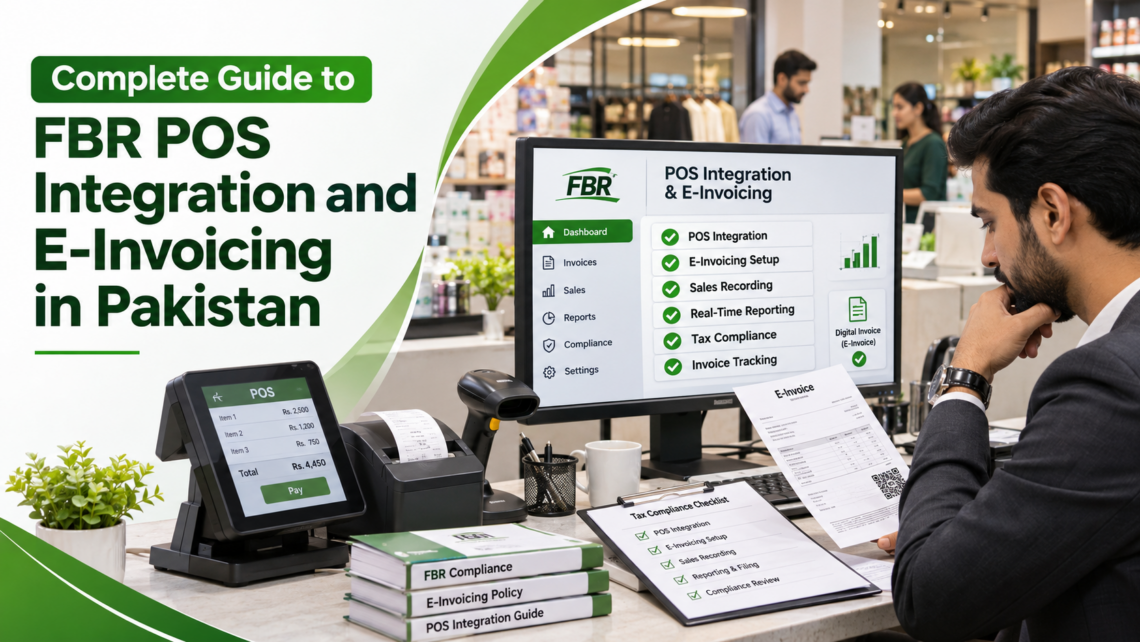
A Point of Sale (POS) system records transactions when a customer purchases goods or services. Depending on the software, it can calculate prices and taxes, apply discounts, record payment methods, update inventory, and generate receipts. FBR POS integration connects the relevant billing system with the Board’s computerized system so that required sales information can be reported electronically.
FBR digital invoicing is the process of creating and transmitting structured electronic tax invoices in the prescribed format. An invoice is not automatically an electronic invoice simply because a paper receipt has been scanned or saved as a PDF. FBR describes an electronic invoice as one created digitally in a specified structured format. Businesses should therefore distinguish between ordinary digital recordkeeping and an approved electronic invoicing workflow.
A POS system and an e-invoicing system are related, but they are not identical. A POS system supports the transaction at the counter. E-invoicing handles the structured invoice data and its transmission to FBR. A well-configured solution connects these tasks so staff do not have to enter the same information repeatedly.
Who Needs FBR Digital Invoicing in Pakistan?
FBR’s rules and notifications have expanded the scope of electronic invoicing to sales tax-registered persons in specified categories. The rollout has used category-based timelines, including distinctions based on company type, importer status, and turnover declared in sales tax returns. S.R.O. 1852(I)/2025 superseded the earlier August 2025 schedule and set phased dates that ran through 31 December 2025.
One reason businesses may find conflicting compliance dates online is that older FBR guidance still refers to the earlier S.R.O. 709 schedule. Subsequent notifications revised the rollout dates. Businesses should therefore consult the latest applicable notification instead of relying on an outdated deadline copied from an old article or social media post.
Because these dates have passed and tax notifications can be amended, businesses should confirm the current position for their legal structure, sales tax registration, business activity, turnover, and any exemption or extension that may apply. The FBR’s published guidance states that persons notified for integration must connect their POS, ERP, or other invoicing software through a licensed integrator. A qualified tax adviser can help determine how the rules apply to a particular business.
Retail outlets, supermarkets, pharmacies, restaurants, wholesalers, distributors, manufacturers, and service providers may have different operational requirements. The correct question is not simply whether a business has a cash counter. It is whether that business falls within the notified class and what type of supplies and invoices it must report.
How a Cloud-Based POS System Supports Business Operations
A cloud based pos system stores and synchronises business information through an online platform. Authorised users can access relevant information from connected devices, subject to account permissions and internet availability. For businesses with several counters or branches, this can make day-to-day management more consistent.
1. Centralised Sales Records
Every completed transaction can be recorded in one system. Managers can review sales by date, branch, product, cashier, or payment method rather than combining paper registers and disconnected spreadsheets. Consistent records also make it easier to investigate voids, discounts, refunds, and unusual transactions.
2. Inventory Management
A connected POS platform can reduce stock-recording delays by updating inventory when products are sold. Businesses can monitor low-stock items, review product movement, and compare stock across outlets. Accurate product descriptions, units of measurement, and tax categories are especially important where invoice data must be mapped to FBR requirements.
3. Multi-Branch Visibility
A central dashboard helps owners compare outlet performance and apply consistent billing procedures. User roles can limit who may change prices, approve discounts, edit product records, or access reports. These controls support accountability as a business expands.
4. Better Reporting and Reconciliation
Sales summaries, payment reports, tax breakdowns, and transaction histories can support routine reconciliation. A retail POS system should make it possible to compare recorded sales with cash, card, bank, and other payment collections. These reports are useful for management, accounting, and tax preparation, although they do not replace formal review of tax returns.
How FBR POS Integration Works
The exact process depends on the existing software, the business category, and the technical requirements of the relevant FBR system. A typical implementation includes the following stages.
Step 1: Review business and tax details.
Confirm the business’s NTN, STRN where applicable, legal structure, branches, outlets, invoice types, and current billing process. Identify which sales are taxable, exempt, zero-rated, or subject to a special treatment.
Step 2: Assess the existing system.
Check whether the current POS, ERP, or accounting software can produce the required invoice data and communicate with the FBR system. A business may not need to replace its entire setup if the current platform can be integrated reliably.
Step 3: Select a licensed integration route.
FBR requires notified registered persons to use a licensed integrator for the prescribed integration process. FBR’s published FAQ also identifies Pakistan Revenue Automation Limited (PRAL) as an integrator that provides integration services free of cost on demand.
The FBR-published list of licensed integrators includes Haball, WebDNAWorks, EY Ford Rhodes, PRAL, OpenPort Pakistan, TMR Consulting, NatureTech, and Dynamic Resources. Businesses should check the latest official list before appointing a provider and confirm the scope, service charges, responsibilities, and support terms in writing.
Step 4: Configure invoice and product data.
The POS or invoicing software must be mapped correctly. Depending on the transaction, relevant information may include buyer details, item descriptions, quantities, unit of measurement, HS codes, tax rates, sale types, discounts, and other required fields. Incorrect master data can cause validation failures even when the software connection itself is working.
Step 5: Test before going live.
Integration should be tested with realistic transactions and the relevant testing environment. Review accepted and rejected invoices, system responses, invoice references, QR information where applicable, and the handling of errors. Do not treat a successful software installation as proof that live transmission is working.
Step 6: Verify production transmission and train staff.
Confirm that invoices are being processed in the live environment as intended. Train cashiers, supervisors, accountants, and administrators on billing, corrections, shift closing, reports, and escalation procedures. Keep evidence of testing, configuration, training, and support arrangements.
What Should an FBR-Ready POS Solution Include?
A business should assess more than the software’s appearance or monthly price. A dependable cloud POS software solution should support accurate billing, reliable records, secure user access, and the required technical integration.
Look for these capabilities:
- Product and inventory management with clear item descriptions and units.
- Accurate tax configuration and support for relevant invoice scenarios.
- Integration capability through an FBR-licensed integrator.
- Invoice status tracking, error messages, and searchable transaction history.
- QR or verification details where required by the applicable invoice process.
- Role-based permissions, backups, and access controls.
- Multi-outlet reporting and reconciliation tools.
- Staff onboarding, technical support, and a documented recovery process.
A digital invoicing system should also preserve a clear audit trail. Deleting or changing transactions without a controlled process can create reconciliation and compliance problems.
FBR’s Sales Tax General Order No. 01 of 2026 states that a valid electronic sales tax invoice generated due to a bona fide mistake may be cancelled, deleted, or edited through the Board’s computerized system within 72 hours of generation. After that period, prior approval from the concerned Commissioner Inland Revenue is required. Businesses should follow the applicable procedure rather than silently changing their own records.
Common Challenges and How to Avoid Them
One frequent problem is assuming that any POS vendor can complete FBR integration. FBR’s published guidance says the required configuration must be carried out through a licensed integrator. Ask for the integrator’s name and current licence status, and confirm who is responsible for technical changes and ongoing support.
Another challenge is poor product and tax data. Inconsistent descriptions, incorrect HS codes, unsuitable units of measurement, or wrong tax categories can lead to rejected invoices or inaccurate reporting. Establish a controlled product master and have tax-sensitive fields reviewed before launch.
Internet interruptions and service outages also need a practical plan. A cloud platform depends on connectivity for synchronisation and online functions. Ask the vendor how transactions are captured during an outage, how pending records are handled, and how duplicate submissions are prevented after service returns. Do not assume that offline transactions are automatically transmitted or accepted by FBR.
Staff resistance can create further gaps. Cashiers may continue using manual receipts, managers may approve discounts outside the system, or accountants may maintain separate spreadsheets. Clear responsibilities, training, periodic reviews, and management oversight help make the new process part of normal operations.
Another important consideration is FBR invoice verification. Customers should receive the relevant invoice details and verification facilities where applicable. Businesses should test QR codes, invoice references, and customer-facing receipts before launching the system.
How to Choose the Right POS Integration Partner
Before signing an agreement, ask the provider to demonstrate the complete transaction journey: product selection, billing, invoice generation, transmission, FBR response, and receipt or QR output where applicable. Request a written description of the integration method, the licensed integrator involved, implementation stages, testing responsibilities, data backup arrangements, and post-launch support.
Compare the total cost rather than the subscription alone. Consider hardware, printers, scanners, installation, staff training, data migration, customisation, integration charges, support, and future branch additions. Also confirm who owns the business data and how it can be exported if the company changes providers.
A suitable POS system in Pakistan should be flexible enough to support different business models while maintaining accurate billing and reporting. The provider should understand local invoicing requirements rather than simply offering generic international billing software.
PFOC’s FBR POS and digital invoicing service page describes an implementation approach based on assessing the existing setup, configuring Tiller POS, supporting digital invoicing and POS integration, and providing staff training and system support. Businesses considering any implementation partner should confirm in writing which FBR-licensed integrator will perform the regulated integration and what verification will be supplied before handover.
Why FBR POS Integration Matters Beyond Compliance
The value of a connected POS and FBR e-invoicing solution extends beyond meeting a regulatory requirement. Accurate transaction records can help owners understand product performance, identify cash-flow differences, reduce manual data entry, and manage multiple outlets with greater consistency. A reliable audit trail can also make it easier to respond to accounting reviews and tax queries.
For customers, clear invoices improve transparency and make it easier to check purchase details. For managers, timely reporting supports better decisions about stock, staffing, pricing, and expansion. These benefits depend on sound implementation and disciplined use. Software cannot correct inaccurate source data or replace responsible financial controls.
Frequently Asked Questions
Is a cloud-based POS system automatically FBR-compliant?
No. Cloud hosting is a software delivery model, not a compliance certificate. The POS or invoicing system must meet applicable technical and tax requirements and be integrated through the proper licensed route where required.
Can a business keep its existing POS software?
Often, yes. The existing system may be retained if it can support the necessary invoice format, data fields, integration process, and operational controls. A technical assessment should establish whether an upgrade, connector, or replacement is needed.
Does FBR charge businesses for integration?
FBR’s published FAQ says no fee is payable to FBR by the registered person or licensed integrator. It also states that PRAL provides integration services free of cost on demand, while a licensed integrator may charge for configuration and integration subject to the applicable limit set by FBR.
What happens when an invoice contains a mistake?
Use the approved correction process. Under Sales Tax General Order No. 01 of 2026, correction of a valid electronic sales tax invoice for a bona fide mistake is allowed through the Board’s computerized system within 72 hours. After 72 hours, prior approval from the concerned Commissioner Inland Revenue is required.
Does every business need the same POS setup?
No. A single shop, restaurant, pharmacy, distributor, and multi-branch retailer have different billing and inventory needs. The system should be configured around actual business operations and the requirements that apply to the taxpayer.
Conclusion
FBR POS integration and e-invoicing are now important parts of Pakistan’s evolving business and tax environment. Choosing a capable cloud based POS system can help organise sales, stock, reporting, and branch operations, but genuine compliance requires correct invoice data, a reliable technical connection, and the appropriate licensed integration process.
Business owners should review their registration status, confirm the latest FBR requirements, test their systems carefully, and train employees before relying on automated billing. With the right planning and professional implementation support, businesses can improve operational control while building a more accurate and transparent invoicing process.