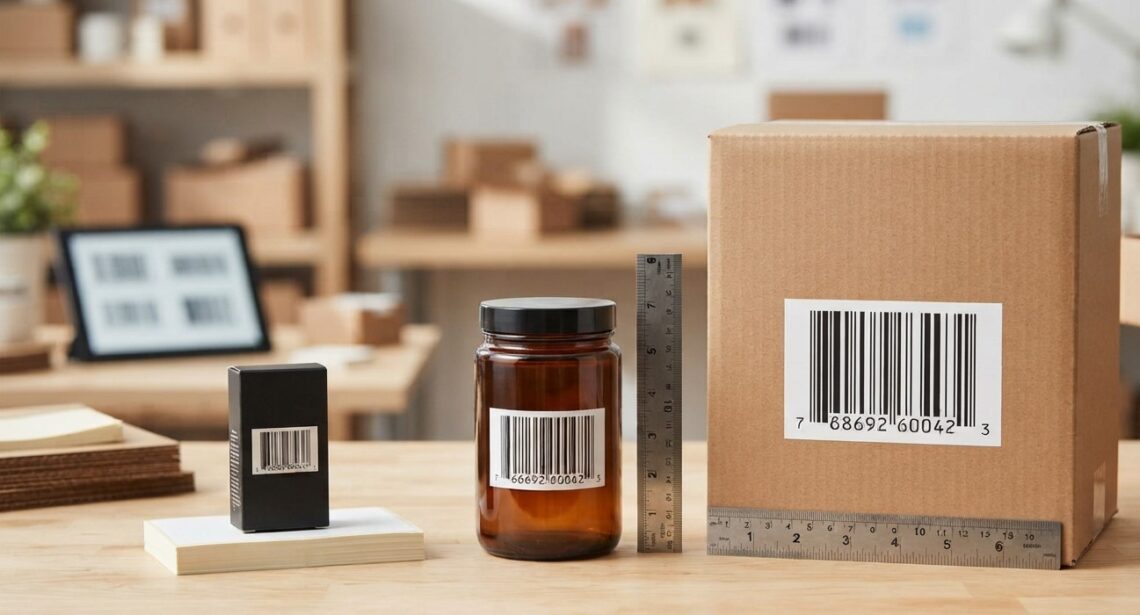
Choosing the right barcode size is an important part of product labeling. A barcode that is too small may become difficult for scanners to read, while one that is unnecessarily large can take up valuable space on packaging. For businesses looking for barcode solutions, Pointus Solutions provides access to barcode and labeling solutions that can support different product and operational requirements. Whether you are exploring Shop Barcode options or looking for suitable Printing Products, understanding how barcode size works can help you create labels that are practical, readable, and suitable for your products.
The right barcode size is not determined simply by the physical size of the product. You also need to consider the barcode type, scanning equipment, printing method, available label space, viewing distance, and the environment in which the barcode will be scanned.
This guide explains how to determine the appropriate barcode size and what factors you should consider before printing your product labels.
Table of Contents
- Why Does Barcode Size Matter?
- What Determines the Size of a Barcode?
- Barcode Type and Its Impact on Size
- Understanding Barcode Dimensions
- What Is the Quiet Zone?
- How Product Size Affects Barcode Selection
- How Scanning Distance Affects Barcode Size
- The Importance of Print Quality
- Choosing the Right Barcode Size for Different Products
- Common Barcode Sizing Mistakes
- How to Test a Barcode Before Production
- Frequently Asked Questions
- Conclusion
- Call to Action
Why Does Barcode Size Matter?
A barcode must be large and clear enough for a scanner to identify its encoded information reliably.
If a barcode is too small, several problems can occur:
- Scanners may struggle to read it
- Employees may need multiple scanning attempts
- Checkout or inventory processes can slow down
- Labels may need to be reprinted
- Product identification can become less efficient
On the other hand, making a barcode unnecessarily large can create other problems. It may occupy too much packaging space or interfere with product information, logos, instructions, or other required labeling.
The goal is therefore to find a practical size that provides reliable scanning while fitting comfortably on the product or label.
What Determines the Size of a Barcode?
There is no single barcode size that works for every product. The appropriate dimensions depend on several factors.
1. Barcode Symbology
Different barcode types have different structural requirements.
Common 1D barcode formats include:
- UPC-A
- EAN-13
- EAN-8
- Code 128
- Code 39
- ITF-14
Two-dimensional codes include:
- QR Code
- Data Matrix
- PDF417
Each symbology has its own specifications and recommended dimensions.
2. Amount of Encoded Information
In many 1D barcodes, adding more characters increases the width of the barcode.
For example, a barcode containing a relatively small amount of information may require less horizontal space than one containing a longer data string.
2D barcodes work differently because information is arranged in both horizontal and vertical dimensions.
3. Available Label Space
The physical area available on your packaging is another important consideration.
A small bottle, cosmetic container, electronic component, or compact package may have limited space for a barcode. A large carton or shipping box may provide considerably more room.
4. Scanning Environment
Think about where the barcode will be scanned.
A barcode scanned at a retail checkout may have different requirements from a barcode scanned by a warehouse employee several feet away.
5. Printing Technology
The printer and media you use can affect the smallest practical barcode size.
A barcode printed with poor resolution or inappropriate settings may lose detail, making it harder to scan.
Barcode Type and Its Impact on Size
The barcode symbology you choose can directly affect the required dimensions.
EAN-13
EAN-13 is widely used for identifying retail products internationally. Its standardized structure means the barcode must follow specific dimensional requirements.
UPC-A
UPC-A is commonly used for retail products, particularly in markets where UPC identification is required.
Code 128
Code 128 can encode a wide range of characters and is frequently used for logistics, shipping, inventory, and internal business applications.
ITF-14
ITF-14 is commonly associated with shipping containers and cartons. Because it is often used on larger packaging, its physical size can be considerably different from a small retail product barcode.
QR Codes
QR codes are two-dimensional barcodes capable of storing significantly more information than many traditional 1D barcodes.
However, QR code size should not be determined simply by the amount of information being stored. The scanning distance, error-correction level, printing quality, and application all influence the appropriate dimensions.
Understanding Barcode Dimensions
Barcode size is more than simply measuring its overall width and height.
For 1D barcodes, several elements are important:
- Overall width
- Overall height
- Bar or module width
- Quiet zones
- Human-readable text
The smallest individual element of a barcode is sometimes referred to as a module. When the modules become too small for the printer and scanner to reproduce and recognize reliably, scanning performance can suffer.
This is why simply shrinking a barcode to fit a small package is not always a good solution.
What Is the Quiet Zone?
The quiet zone is the clear space surrounding a barcode.
It does not contain printed information, graphics, borders, or other elements that could interfere with scanning.
Quiet zones are an important part of barcode design because scanners need to distinguish the barcode from the surrounding label.
When designing your product label, avoid placing:
- Text too close to the barcode
- Decorative graphics over the barcode
- Borders immediately around the barcode
- Logos inside the required scanning area
Keeping adequate clear space around the barcode can help maintain reliable scanning.
How Product Size Affects Barcode Size
The size and shape of your product can influence where and how you place a barcode.
Small Products
Products such as cosmetics, small electronics, medicines, accessories, and compact packages may have limited labeling space.
In these situations, you need to balance barcode size with the other information required on the packaging.
Medium-Sized Products
Boxes, bottles, food packaging, and retail products generally provide more flexibility.
A standard retail barcode can often be placed on a flat surface where scanners can easily access it.
Large Products and Cartons
Large cartons and shipping packages may use larger barcode labels because scanning may occur from a greater distance.
For warehouse applications, the barcode may also need to remain readable throughout handling, storage, transportation, and distribution.
How Scanning Distance Affects Barcode Size
One of the most important questions to ask is:
How far away will the barcode typically be scanned?
A barcode intended for close-range scanning at a retail checkout has different requirements from one intended to be scanned from a warehouse aisle.
For example:
- Small retail products may use compact barcodes.
- Warehouse cartons may require larger labels.
- Pallets may require highly visible barcode identification.
- Industrial applications may require larger and more durable labels.
The scanning device itself also matters. Scanner capabilities vary, so your barcode should be designed with the actual scanning environment in mind.
The Importance of Print Quality
Barcode size and print quality work together.
A correctly sized barcode can still become difficult to scan if it is printed poorly.
Common causes of poor barcode quality include:
- Low-resolution printing
- Damaged printheads
- Incorrect print darkness
- Poor-quality labels
- Incorrect ribbon selection
- Smudging
- Uneven printing
- Low-quality barcode graphics
This is where the right Printing Products can make a difference. A suitable thermal printer, compatible label material, and appropriate ribbon can help produce consistent barcode labels.
For businesses printing large quantities of product or inventory labels, consistent printing quality is especially important.
Choosing the Right Barcode Size for Different Products
Different applications may require different approaches.
| Product/Application | Important Considerations |
|---|---|
| Small retail products | Limited space, close-range scanning |
| Grocery products | Standardized retail barcode requirements |
| Cosmetic packaging | Small surfaces and label design |
| Warehouse cartons | Visibility and scanning distance |
| Shipping packages | Label size and durability |
| Pallets | Large, visible identification |
| Manufacturing components | Space limitations and durability |
| Asset labels | Long-term readability |
| Healthcare products | Clear identification and reliable scanning |
The table illustrates why there is no universal barcode size for every application.
Common Barcode Sizing Mistakes
Making the Barcode Too Small
One of the most common mistakes is reducing the barcode excessively to fit a small label.
Before doing this, consider whether the label can be redesigned to provide more space.
Ignoring the Quiet Zone
Placing text, graphics, or borders too close to a barcode can interfere with scanning.
Stretching the Barcode
Barcode graphics should not be randomly stretched horizontally or vertically. Distorting the proportions can affect the encoded pattern and scanning performance.
Using Low-Quality Printing
A poorly printed barcode may fail even when its dimensions are technically appropriate.
Choosing the Size Without Testing
Never assume that a barcode will scan correctly simply because it looks good on a computer screen.
Print a sample using the actual printer and label material, then test it using the scanners that will be used in your business.
How to Test a Barcode Before Production
Testing is an important step before ordering thousands of labels.
Step 1: Print a Sample
Use the actual printer, label material, and settings that will be used for production.
Step 2: Scan the Barcode
Test the barcode with the scanner used in your retail store, warehouse, production facility, or other operating environment.
Step 3: Test From Different Angles
If employees will scan products from different positions, test the barcode under realistic conditions.
Step 4: Check Different Batches
If you use different printers, ribbons, or label materials, test samples from each setup.
Step 5: Consider Verification
For critical applications, professional barcode verification equipment can provide more detailed information about barcode quality than a simple scanner test.
Frequently Asked Questions
What is the standard size of a product barcode?
There is no single standard size for every product barcode. The appropriate dimensions depend on the barcode symbology, application, packaging, printing method, and applicable standards.
Can I make a barcode smaller to fit my product?
You may be able to reduce the size within the specifications of the particular barcode type, but shrinking it too much can reduce scanning reliability. Always follow the applicable barcode specification and test the printed result.
Does a bigger barcode scan better?
Not necessarily. A barcode needs to be within an appropriate dimensional range. Making it excessively large does not automatically improve scanning.
Does barcode resolution affect size?
Yes. Printer resolution can affect how small individual barcode elements can be reproduced accurately. Smaller barcodes may require suitable printer resolution and high-quality media.
How much space should be left around a barcode?
The required clear space depends on the barcode symbology and its specification. This area is known as the quiet zone and should remain free from text and graphics.
Should I use a 1D or 2D barcode?
The answer depends on your application. Traditional 1D barcodes are widely used for product identification, while 2D codes such as QR codes can store more information in a compact area.
Can barcode printers produce different barcode sizes?
Yes. Barcode printers can generally produce labels in different sizes, provided the printer supports the required media and the barcode is designed within the appropriate specifications.
Conclusion
Choosing the right barcode size is about more than making a barcode fit on your product. You need to consider the barcode type, available space, scanning distance, printer resolution, label material, quiet zone, and actual scanning environment.
A barcode should be large enough to reproduce its elements clearly while remaining practical for the product and label design. Testing your barcode using the actual printer, media, and scanning equipment is one of the best ways to identify potential problems before full-scale production.
Whether you are labeling retail products, warehouse cartons, shipping packages, assets, or manufacturing components, selecting appropriate barcode dimensions can contribute to a more reliable identification and scanning process.
With the right guidance and Printing Products, businesses can create barcode labels that are practical, readable, and suited to their operational needs.
Call to Action
Need help finding the right barcode printer, labels, scanners, or other labeling equipment?
Pointus Solutions offers barcode and business printing solutions designed for a wide range of applications. Visit Shop Barcode to explore barcode-related products and solutions, or browse our Printing Products for equipment and supplies that can support your labeling requirements.
Choose the right barcode size, use suitable printing equipment, and test your labels before production to create a more dependable barcode labeling workflow.